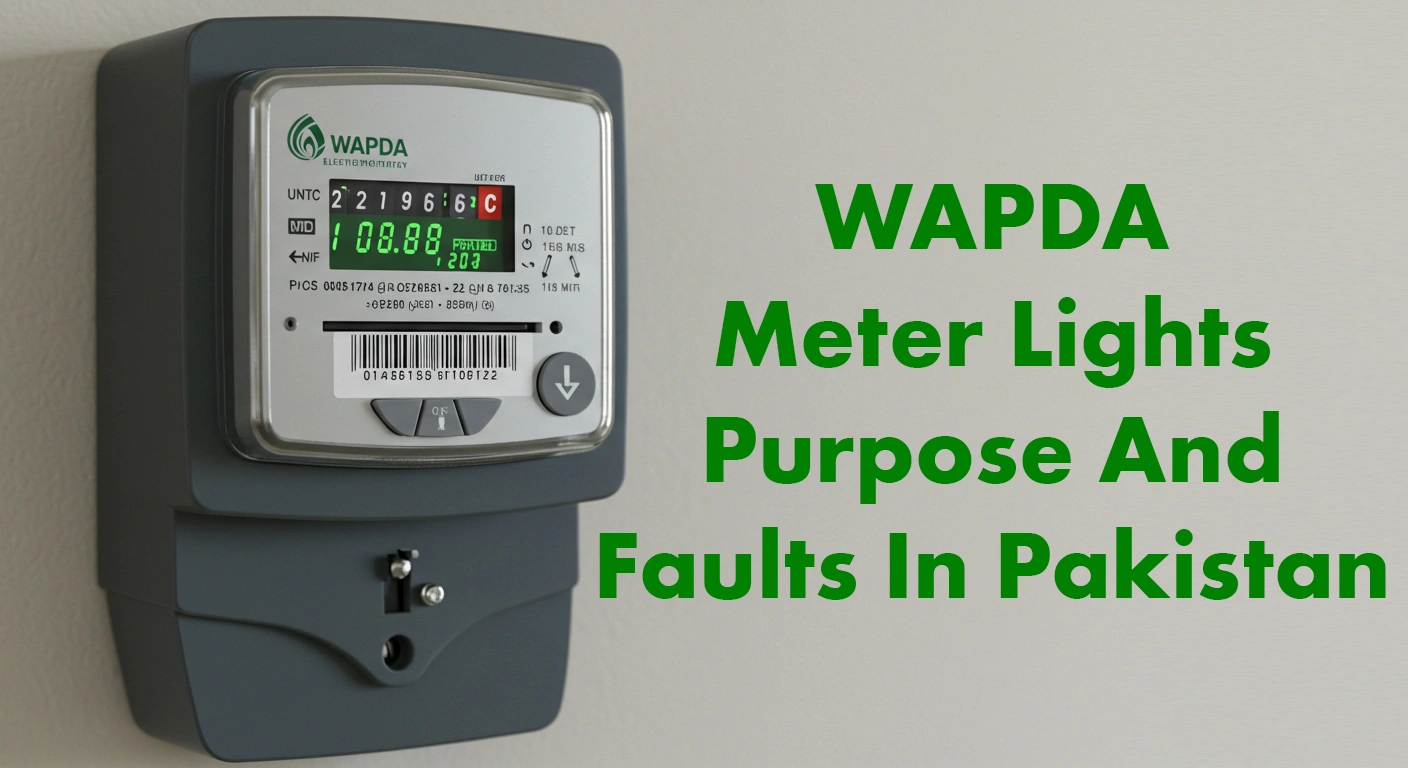
WAPDA METER LIGHTS PURPOSE AND FAULTS IN PAKISTAN 2026
Table of Contents
Is your electricity bill coming unusually high? Are some lights turning on on your digital meter, and you do not know what they mean?
If you are looking for answers to these questions, then this post is for you! In it, we will explain in detail the purpose of the five lights on a digital meter, the reasons they turn on, and the solutions to these problems.
This post will not only help you understand the issue, but it will also help you control your electricity bill.
Purpose of the Wapda Meter Lights
A digital meter has five different lights, and each one has its own purpose. It is important to understand these lights because they tell you about problems in your electricity system.
If some of these lights are on, they may affect your bill. Let’s look at each WAPDA meter light in detail:
1. Power Light
This is the first light on the right side, and it shows the electricity supply inside the meter.
This light stays on all the time as long as electricity supply is present in the meter. If the power goes out in your home, first check whether this light is on or not.
If it is not on, then there may be a supply problem in your home.
2. Reverse Light
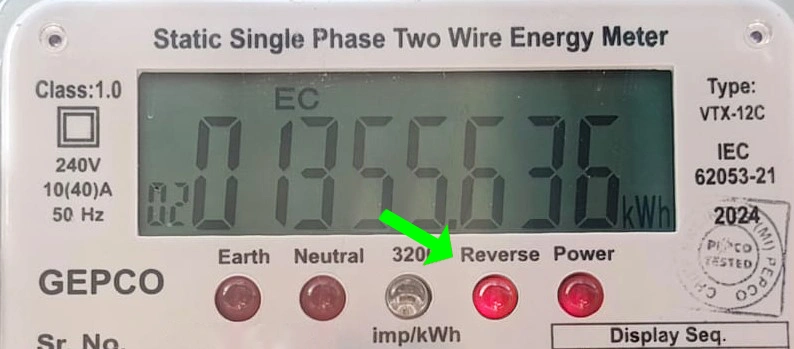
This second light is the most dangerous. If this light is on, it means there is a reverse connection in the meter, which can make your electricity bill double. This light turns on for two reasons:
Neutral Wire Common: If there are two electric meters in your home and their neutral wires have been connected together, this light turns on. The solution is to separate the neutral wires.
Cross Connection: If the input wire is wrongly connected with the output wire, and the output wire is connected with the input wire, this light turns on. To fix this, get the wiring checked and connected correctly.
3. Unit Counting Light
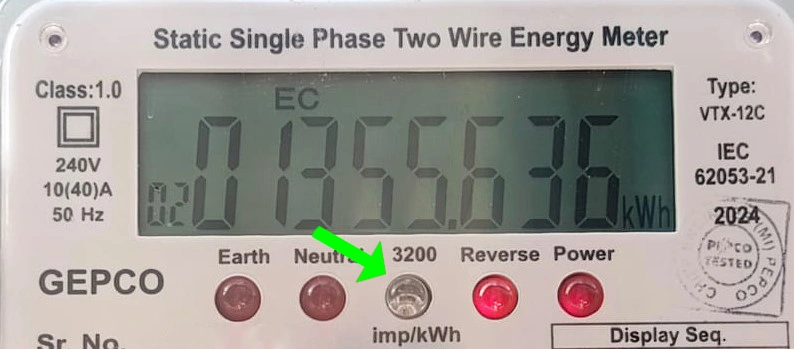
The third light counts the units. It often has “3200 IMP/kWh” written on it, which means one unit is counted after 3200 blinks in one hour. This light blinks faster or slower depending on the load. With more load, it blinks faster, and with less load, it blinks slower.
4. Neutral Light
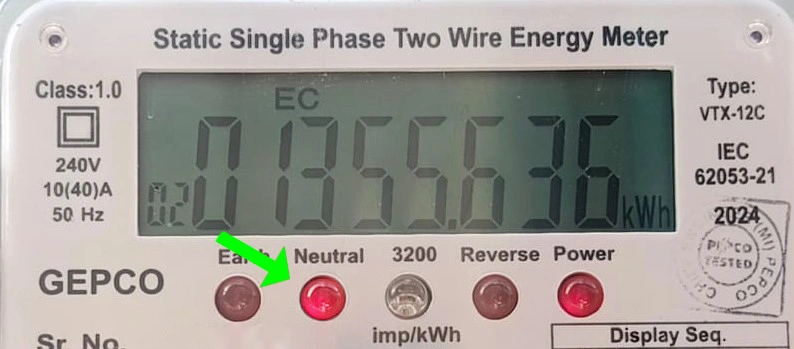
The fourth light shows a problem with the neutral wire. If the neutral wire is missing in the meter or connected incorrectly, this light turns on. The solution is to check the neutral wire wiring and correct it.
5. Earth Light
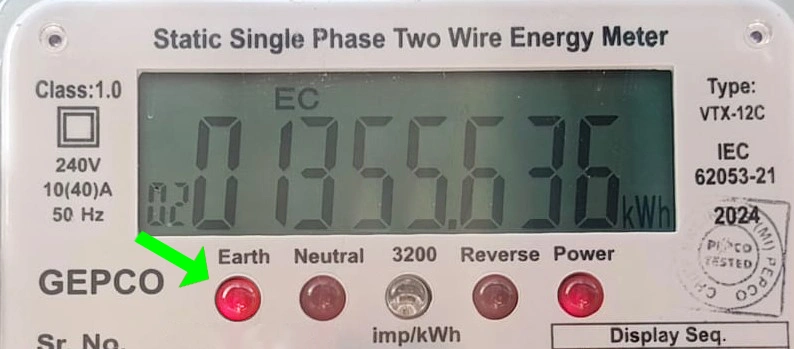
The fifth light shows a problem with the earth connection. This light normally stays off, but if there is a fault in the wiring or a wire touches the ground or wall, it turns on. If this light turns on, it can also cause a high electricity bill.
Impact of Reverse and Earth lights on Electricity Bill
Impact of Reverse and Earth Lights on Electricity Bill
If both the reverse and earth lights are on, or even one of them is on, your electricity bill may become double or even higher. For example, if you are running one AC but getting a bill equal to two ACs, these lights may be the reason. It is very important to fix these problems as soon as possible.
Common Faults and Their Solutions Of Wapda Meter Lights
Issues Of Reverse Light
Neutral Wire Issue: Do not make the neutral wires of two meters common. Each meter should have its own separate neutral wire.
Cross Connection: Connect the input and output wires in the correct places. For this, take help from a technician.
Issues with Earth (Ground) Light
Joints In Wiring: If the insulation tape comes off at the joints of the output wire and the wire touches the ground or wall, the earth light turns on. Check the wiring and properly insulate the joints.
Rain Water in Wire: If the output wire comes in contact with rainwater, this light may turn on. Keep the wires dry and insulated.
Submersible Motor: If the motor gets short and the phase wire touches water, the earth light turns on. Remove the motor plug and check it.
Local Earthing System: Many people use local or homemade earthing with a fridge or other appliances, which can turn on the earth light. Avoid this kind of earthing.
Change the Position of the Wire in the Meter:
This fault is often seen during the rainy season. In my personal experience, if the sides of the meter wires are changed, the fault may stop.
Tips to Reduce Your Electricity Bill
Check the Meter: If the reverse or earth light is on, get the wiring checked immediately.
Call the Technician: If you do not understand the wiring problem, get help from a professional technician.
Take Care of Insulation: Use insulation tape or wire covering so the wires do not touch the ground or water.
Reduce the Load: With more load, the unit counting light runs faster, so use only necessary appliances.
Conclusion
The Wapda Meter Lights lights on a digital meter can tell you a lot about your electricity system. By understanding them, you can not only control your electricity bill but also keep your home electrical system safe. If your bill is coming too high, first check the meter lights and solve the problems using the methods explained above.